/mainlogo.webp)

Event Order Guide
Some Japanese event sales are organized around exhibitions rather than regular storefronts.
This guide explains how to order from these events, including events at Tokyo Big Sight or Makuhari Messe.
Lunarcat can help customers order from Japanese exhibition-style events such as Comiket, Comic City, and Wonder Festival.
Using this guide for Haru Comic City 35? See the event service page here.
Step 1: Find the Booth Information
If you ended up looking at this page, you probably know what to buy.
Artists attending the event usually provide their booth information on their X or Instagram page.
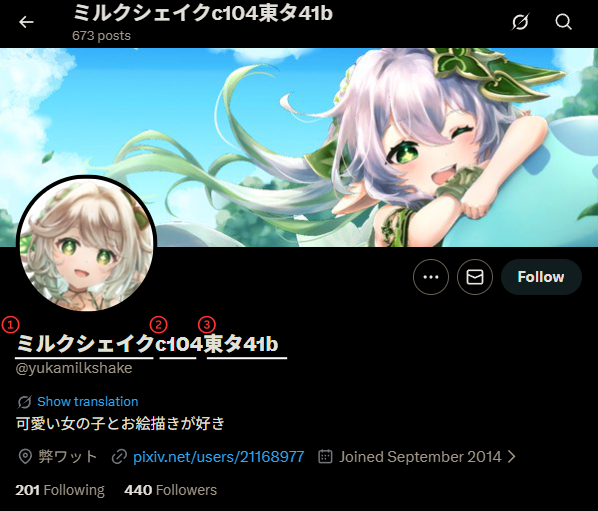
For example, this artist is participating the c104 Comiket at Booth 東タ41b.
東タ41b is the booth number that you need to include in your order.
Step 2: Fill Out the Google Sheet
Enter your order details into the Google Sheet. Use one row for each item.
- Circle Name
- Booth Number
- Image
- Item Name: Enter multiple items from the same circle on different rows.
- Unit Price (JPY)
- QTY
- Comments (optional): Use comments when you have specific instructions.
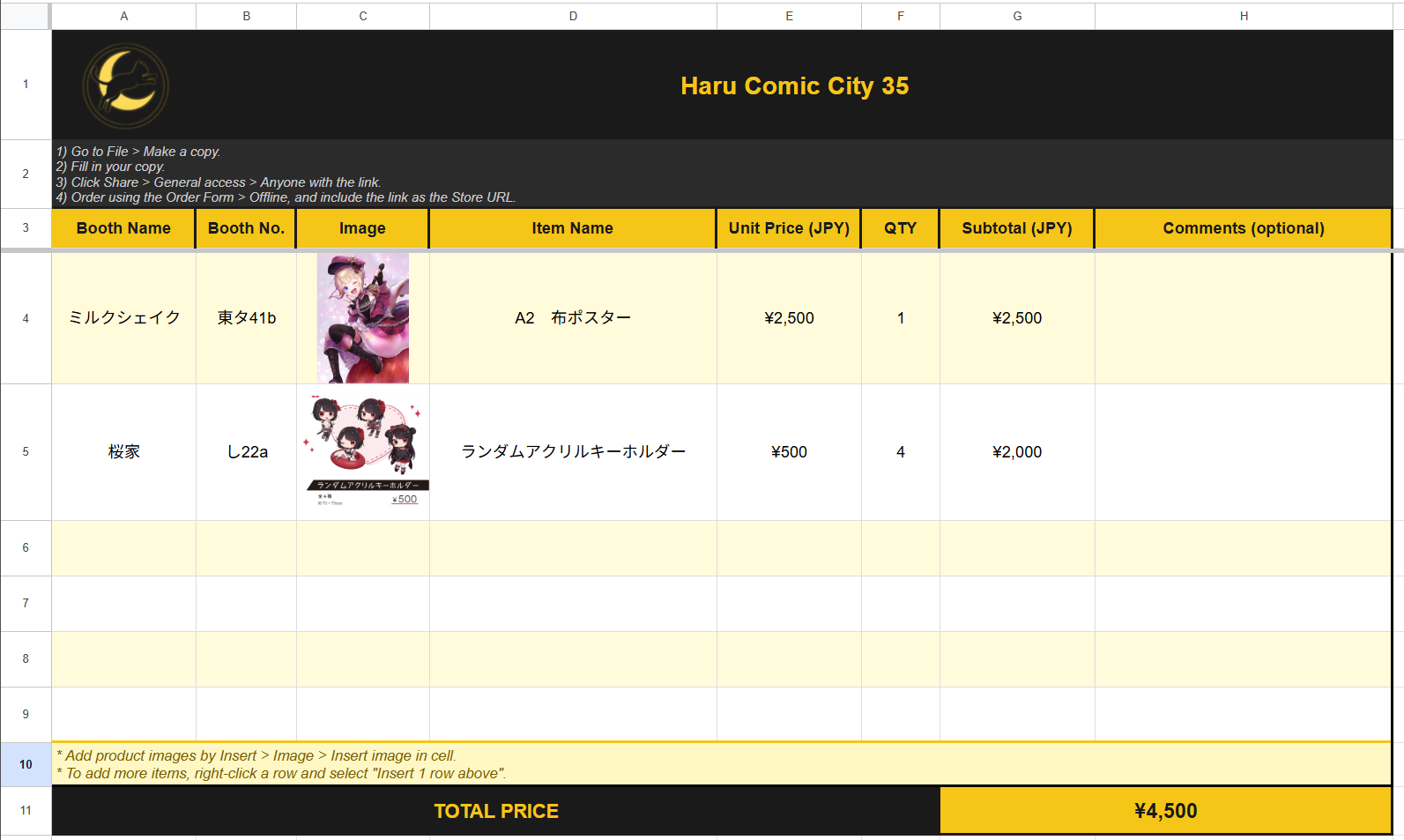
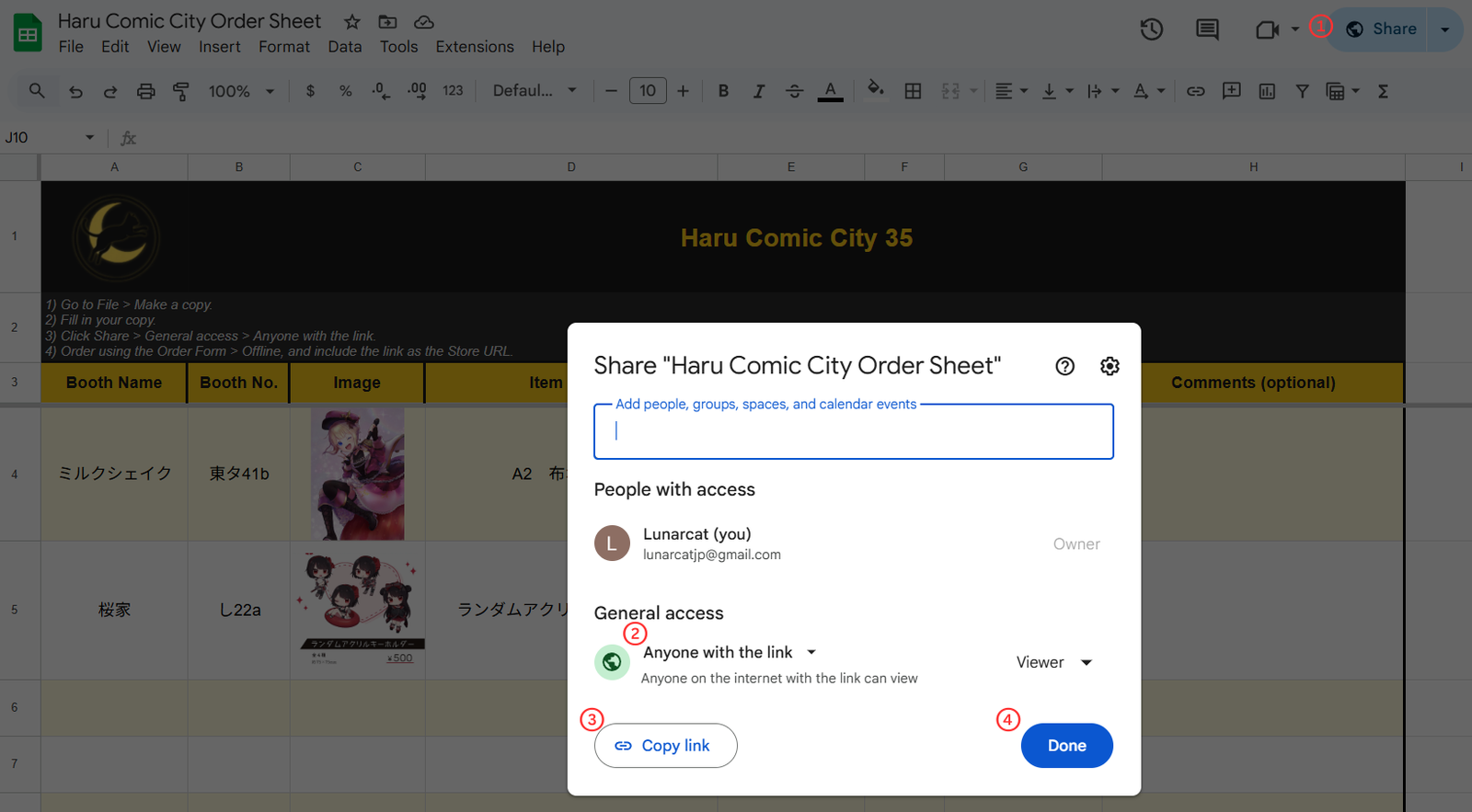
Step 3: Share the Google Sheet Link
After filling out the sheet, click Share > General access > Anyone with the link > Done.
This allows us to access your Google Sheet.
Step 4: Submit the Order Form
After preparing your Google Sheet, open the Order Form and choose Offline.
We will use the Google sheet to purchase your items, and edit the order details with the actual items later on.
- Store URL: Paste the Google Sheet link that you completed.
- Item 1: Enter in Quantity 1, and the Total Price calculated in the Google Sheet.
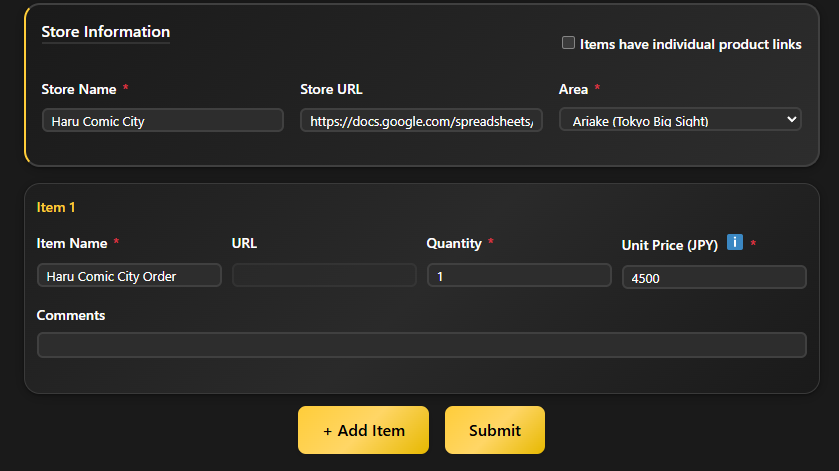
Step 4 (Alternative)
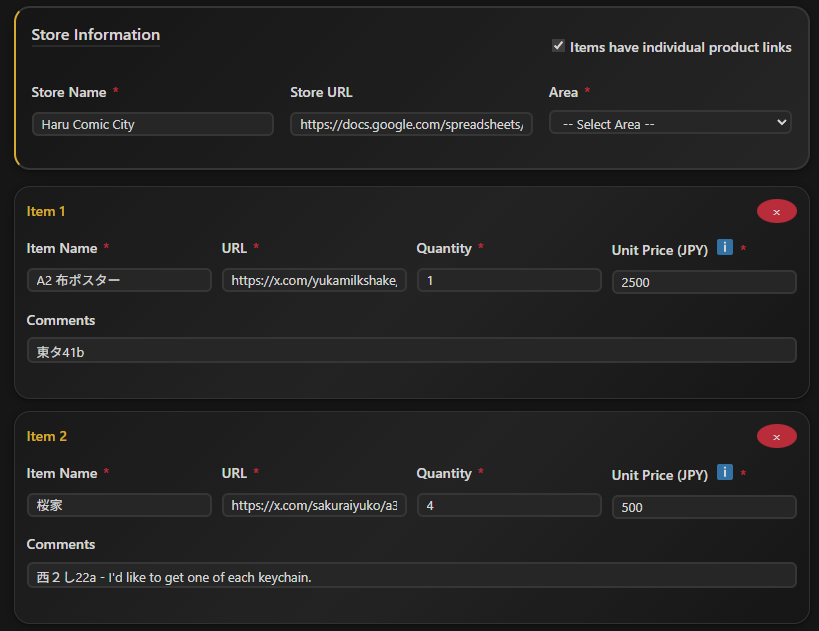
If you do not want to fill out the Google Sheet, or want more tracking for your orders, fill out the form item by item.
Please make sure to include the booth number (in comments) and the item images (via item URL),
Payment and Order Handling
After submitting the order form, please pay from Mypage.
We do not review unpaid orders since these are only a draft.